
What the episode is about
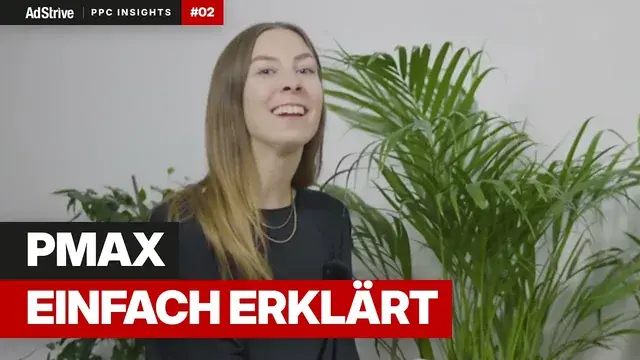
- Signals instead of audiences. In PMax, audiences are just a starting point, such as visitors to your website. From there, the system looks for similar users. There is no fixed targeting as with other campaign types.
- Separate asset groups. Different audiences and product categories belong in their own asset groups or campaigns, with matching text, images and landing pages. Better many headlines, descriptions and images than too few, because the system learns from the selection. More on this in our guide Creatives and assets.
- Two pitfalls in the set-up. Without countermeasures, PMax also shows ads for searches for your own brand. And automatic URL expansion can promote pages that were not intended. Lara tells the story of a campaign that suddenly advertised job vacancies.
- Data first, then automation. Lara does not recommend PMax for young accounts at the start. As a guideline, she names around 30 conversions in 30 days, if necessary with earlier goals such as “Add to basket”. How the bidding behind it works is explained in episode 15 on Smart Bidding.
- A complement, not a replacement. PMax takes traffic from existing Search and Display campaigns and offered hardly any reporting in 2022. As an additional campaign in an account with enough conversions, it can lower the cost per conversion.
What has changed since
Largely outdatedAs of November 2026
- You can exclude your own brand yourself. What was only possible via Google support in 2022, you now do with brand lists directly in the campaign. Since 2025, there have also been negative keywords at campaign level.
- Much more insight. PMax now shows reports on channels, search terms and individual assets. The campaign is no longer a black box, even if it allows less control than a Search campaign.
- Set URL expansion deliberately. You still decide yourself whether Google may choose its own landing pages, supplemented by URL exclusions. The same principle is now also at work in AI Max for Search.
- The main channel for shops. Smart Shopping campaigns were merged into PMax in 2022. Search and PMax share search queries according to fixed rules: an identical keyword in a Search campaign takes priority. How we split this in accounts is shown on our page Shopping & Performance Max.
- Still true: PMax optimises for what you report as a conversion. Without reliable tracking and real values, even the best campaign structure helps little.
In depth and up to date in our guide: Performance Max: how PMax campaigns work in Google Ads